01Stores
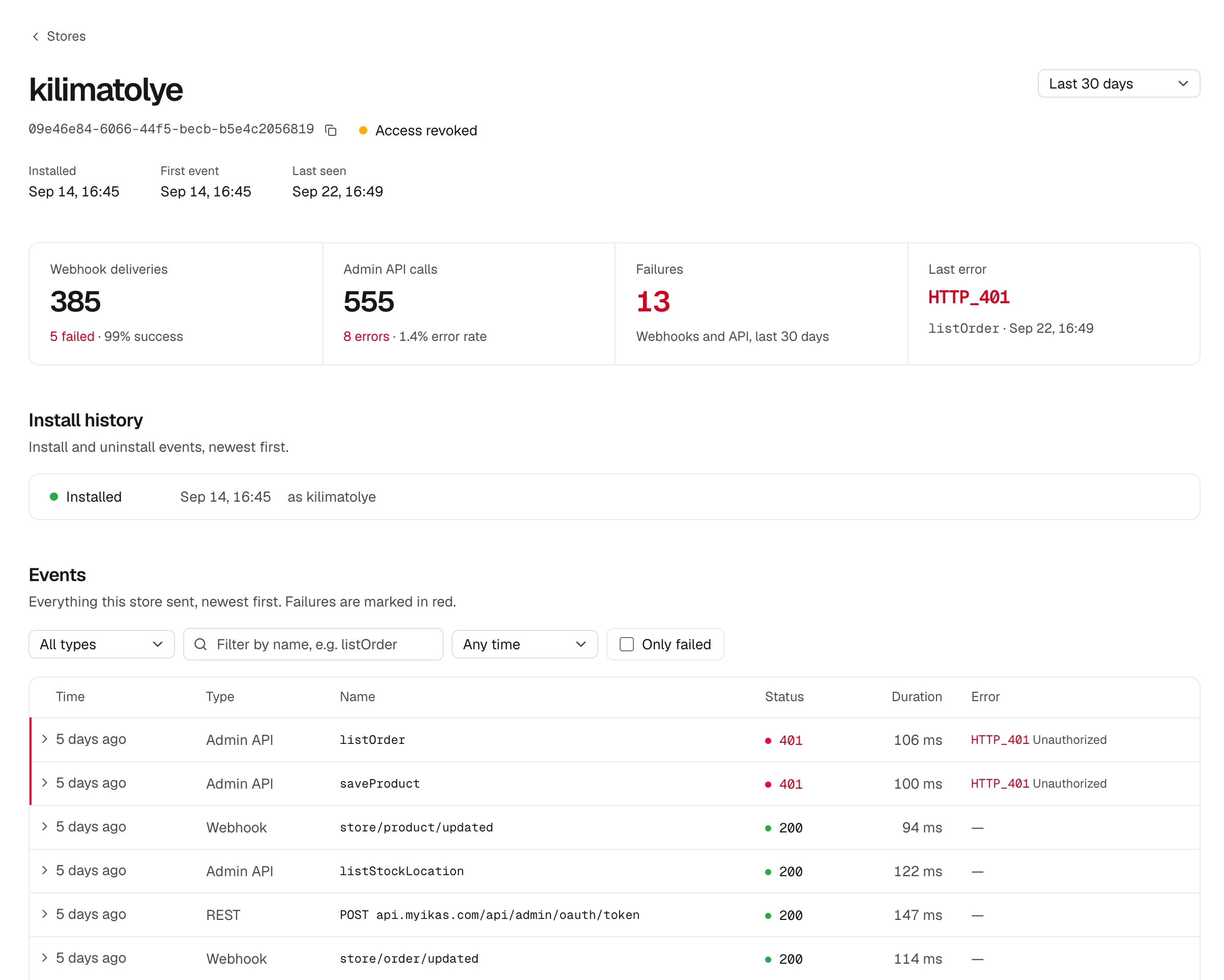
The one store whose token expired, while every other store is fine.
A page per store: status, install history and a timeline of everything it sent.
Webhook deliveries, Admin API calls, installs, admin vitals and storefront script errors, per store. A few lines of code, no ikas credentials.

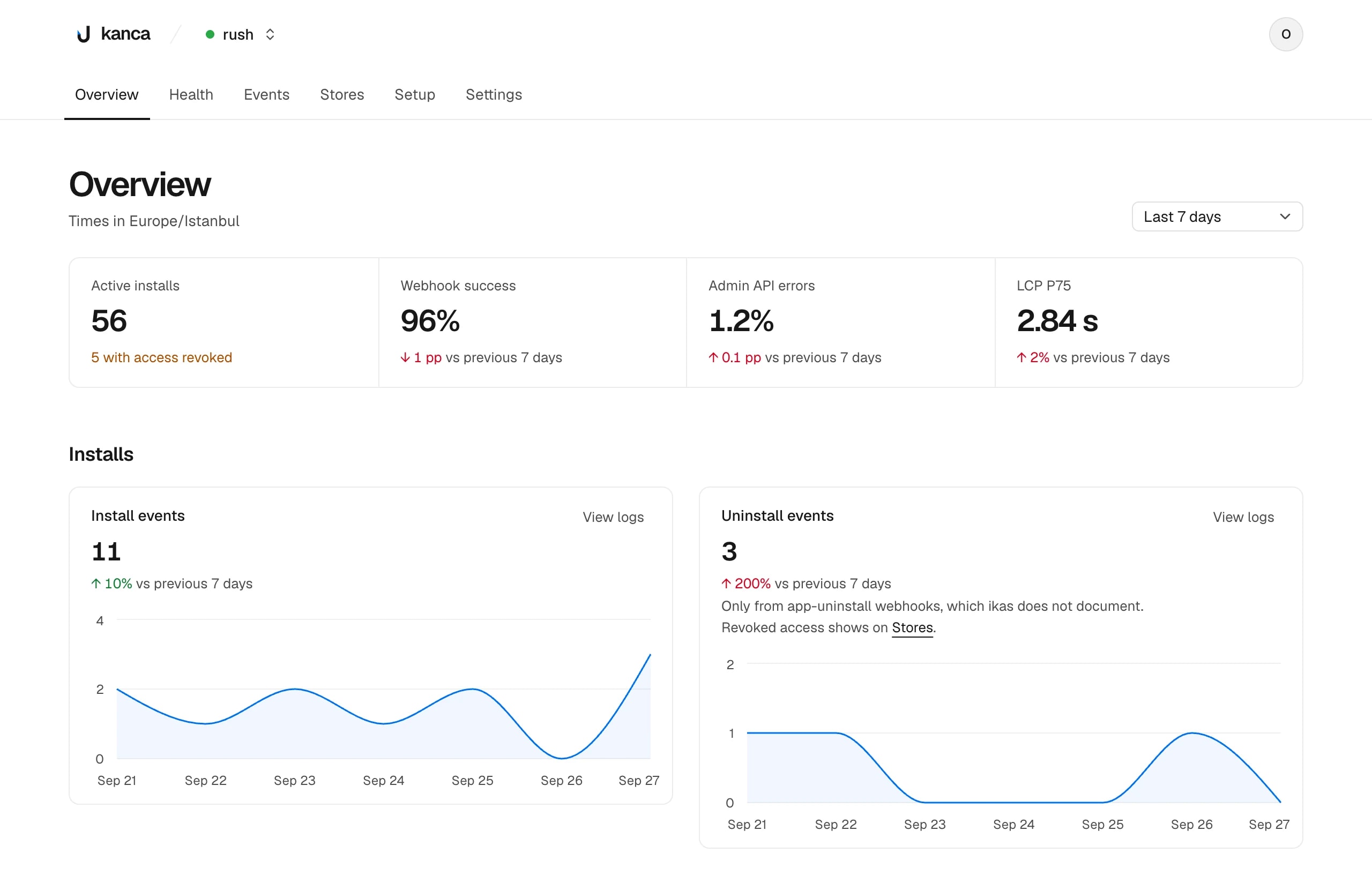
It counts installs. Kanca shows what happens after one, per store and per operation.
| Signal | What is measured | What it catches |
|---|---|---|
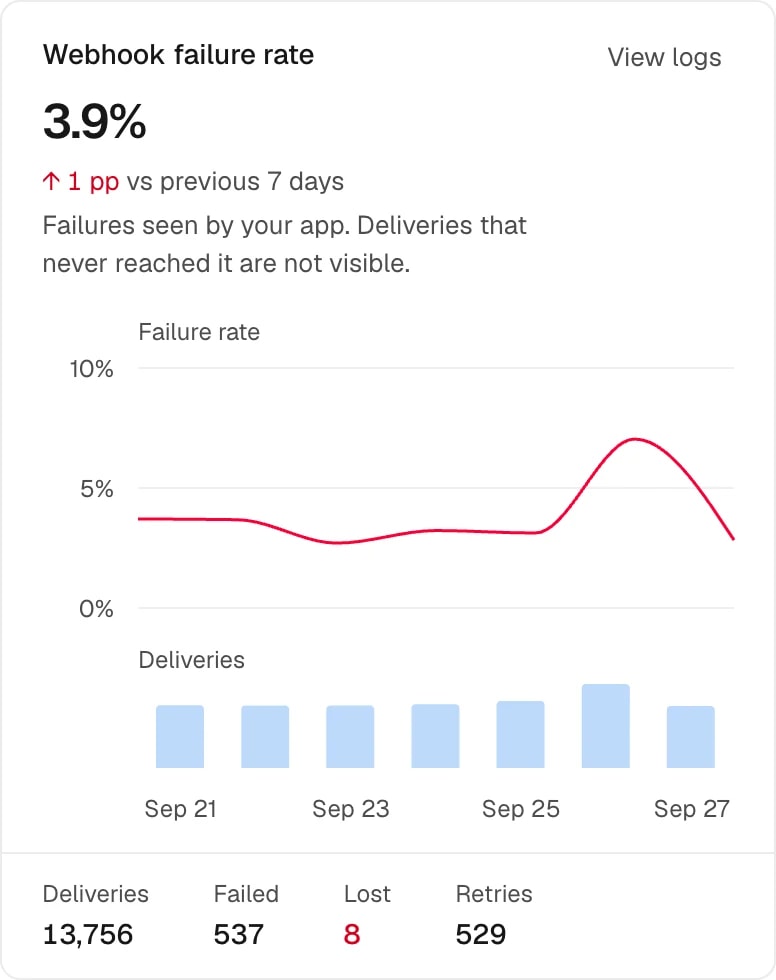
| Webhooks | Every delivery your app receives: scope, status, handler time, retries. | A scope that started failing, and webhooks ikas stopped retrying. |
| Admin API | Error rate and latency per GraphQL operation. | A 200 response that carries an errors array, which most logs call a success. |
| Installs | Installs, uninstalls found by a daily install check, and stores whose Admin API access was revoked. | Stores leaving right after a release. |
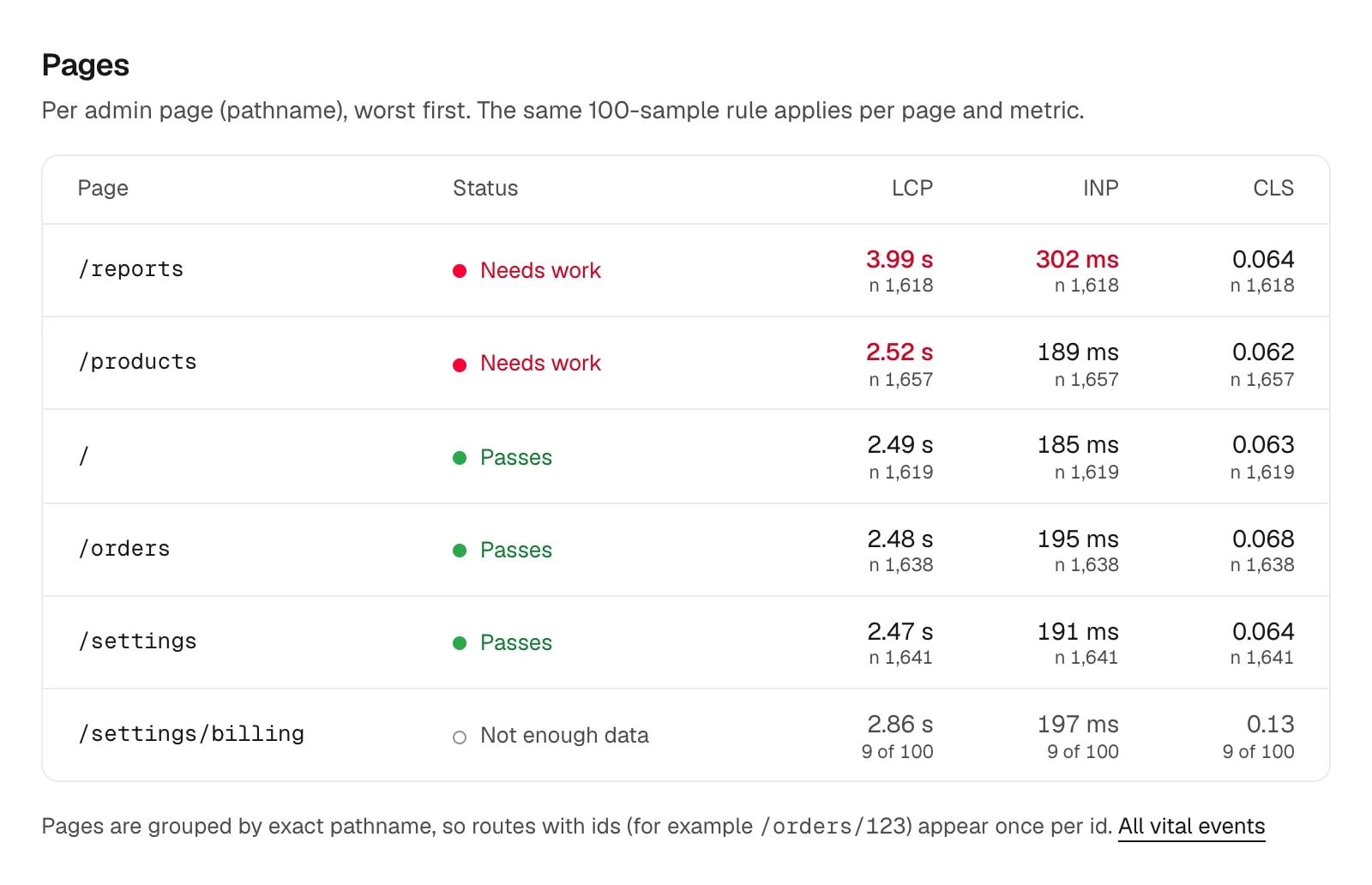
| Admin performance | LCP, INP and CLS of your app inside the ikas admin iframe. | A page that takes four seconds to paint for merchants. |
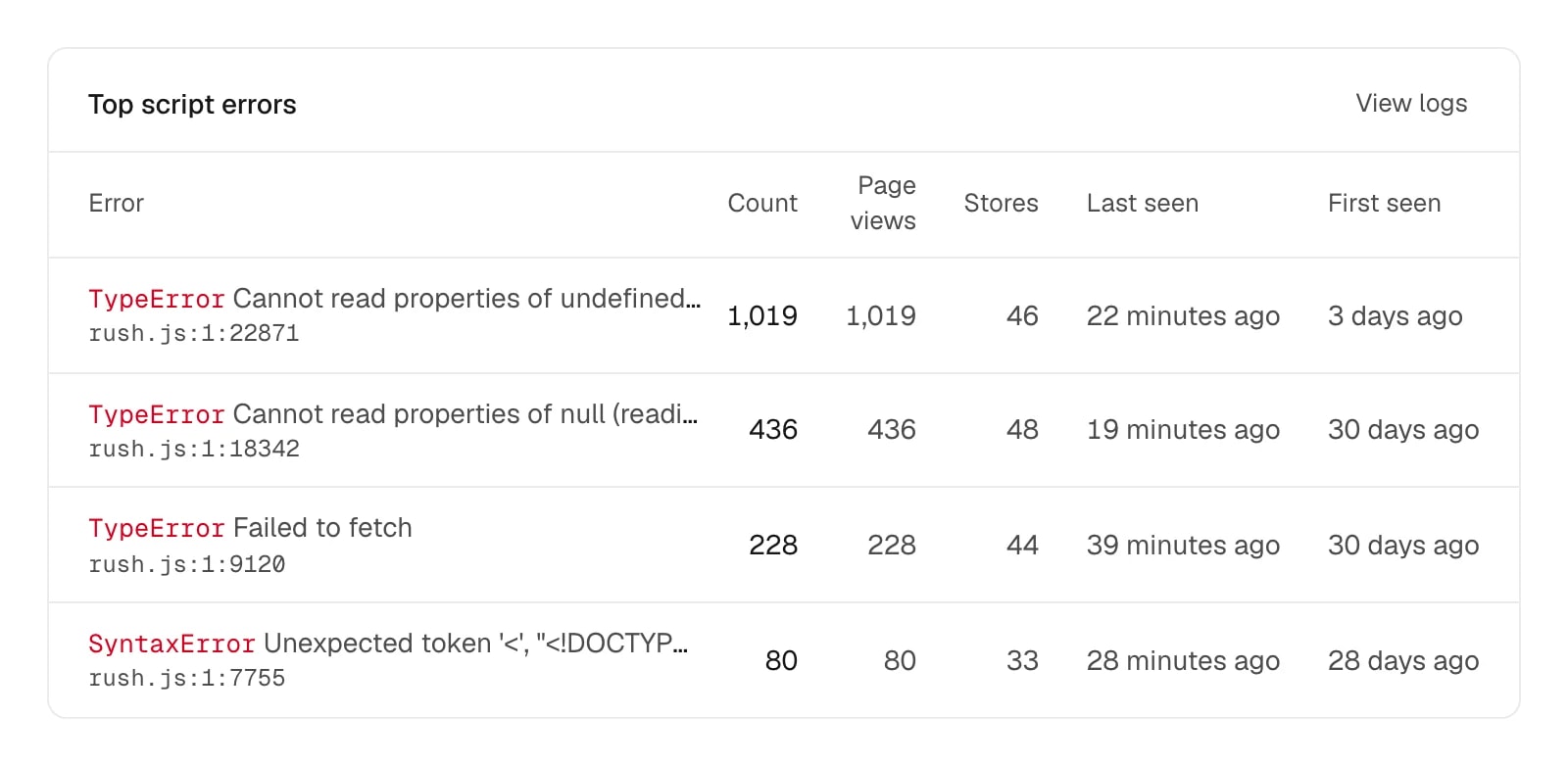
| Storefront script | Errors thrown by your script on merchants' storefronts, and what it costs visitors to load. | A release that throws on some themes, before a merchant writes to you. |
| Stores | Each store using your app, ranked by failures, with its last error. | The one store whose token expired while every other store is fine. |

A total hides the one store that is broken. Each view starts from the store.
01Stores
A page per store: status, install history and a timeline of everything it sent.
02Admin performance
Pass or needs work per admin page over 28 days; before that it says “not enough data”.
03Storefront script
Plus what it costs visitors to load. Under 3 KB gzipped.
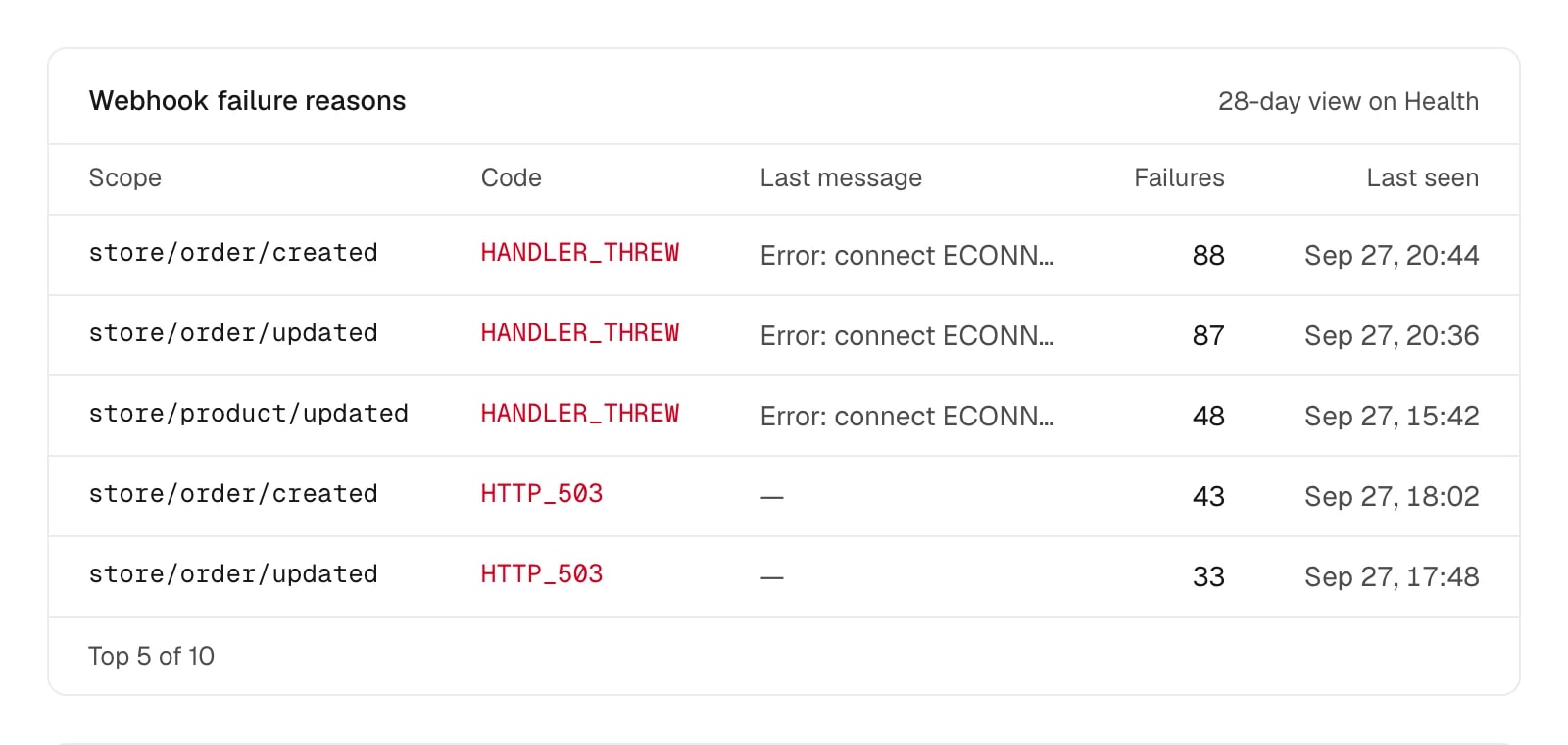
ikas retries anything but HTTP 200. Kanca groups failures by scope and reason.

Checked every minute, posted to Slack or Discord on the transition. Counts and a link, never event data.
| Rule | Fires when |
|---|---|
| Admin API error rate | 5% or higher over the last 15 min, with at least 20 calls |
| Webhook failure rate | 5% or higher over the last 15 min, with at least 10 deliveries |
| Lost webhooks | Any webhook that ikas stopped retrying (every delivery failed, last one over 1 hour ago), checked over the last 15 min |
| Storefront script errors | 5% or more of storefront page views with a script error over the last 15 min, with at least 20 sampled page views |
| Install check stopped | No install check (checkInstalls run) for over 36 hours, after at least one was received |
| Daily event limit | Accepted events reach the daily quota: 10,000 a UTC day for unverified projects, 1,000,000 for verified ones |
Your server sends with the server key, browsers with the public key. Kanca validates every event and computes the dashboard from raw rows.
Your app server
Webhooks, installs, Admin API calls
Browsers
Admin iframe vitals, storefront script
Kanca ingest
Validated per event, deduplicated by event id, so a resent batch never counts twice
Dashboard and alerts
Computed from raw rows at query time, per store
Each line covers one part of the ikas app starter. The SDK never throws and never changes a response; without a key it does nothing.
import { createKanca } from "@kanca-app/ikas";
export const kanca = createKanca({ key: process.env.KANCA_KEY });

// Webhook route
export const POST = kanca.webhook(handler);

// OAuth callback
kanca.track("install", { merchantId, storeName });

// Admin API client
return kanca.instrument(new ikasAdminGraphQLAPIClient(options));

// Daily job: records stores that removed the app
await kanca.checkInstalls(stores);

// Admin layout
<KancaVitals publicKey={process.env.NEXT_PUBLIC_KANCA_PUBLIC_KEY} />Everything else is dropped before it leaves your server or the browser. No ikas client secret. Events are kept until you ask us to delete them.

Create a project, copy two keys, and the setup page ticks off each line of the integration as its first event arrives.